Minimum requirements
-
Technical OS specification:
-
Operational System: Windows version 10 or above.
-
Processor: Core i5.
-
RAM: 8 GB, at least 4 GB must be dedicated exclusively to Omni platform.
-
Headset: Used in voice channels.
-
Only activate the audio device used by the operator. This prevents Windows from assigning another device for use, which would cause the audio to be routed incorrectly and result in a silent line.
-
-
Internet conection:
-
Speed: At least 15 Mbps per computer, only and exclusively available to be used by Omni platform.
Important: We recommend using a wired network connection, as it is more stable. Avoid using a wireless (Wi-Fi) connection, which can cause signal interference and disconnections. If you are using a wired network, disable the wireless interface.
-
Do not use VPN while using the platform.
-
Latency:
- Ideal: < 50 ms.
- Good: between 50 ms and 100 ms.
- Bad: above 100 ms.
-
Jitter: less than 50.
-
-
Web browser:
-
To ensure proper functioning and avoid compatibility issues, it is essential to use Google Chrome or Microsoft Edge, both of which should be updated to the latest version.
-
Allow audio reproduction permissions.
-
We recommend disabling the automatic translation for:
omni.digitalcontact.cloud.
-
Web browser update warning
When Chrome browser is outdated, a message pop-up will be show as "outdated browser" when logging in.
The message show as:
Hello! 👋
It seems you are using an outdated version of your browser. To ensure the best possible experience with our apllication, we recommend that you update your browser. The update is quick and easy, and you'll be back in no time! 🚀
We appreciate your understanding and are available for any questions. 😊
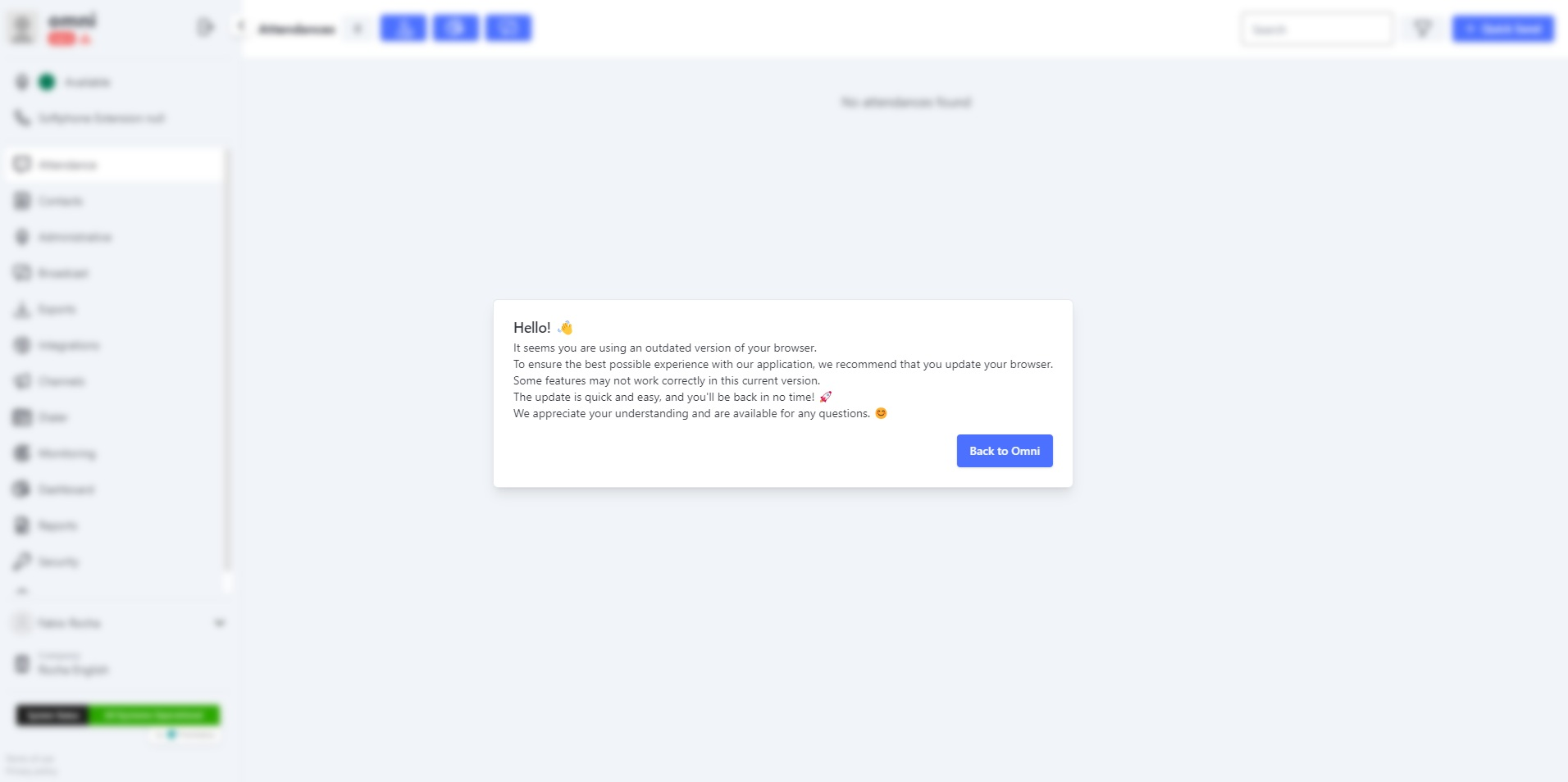
If the user do not update the browser, then clicks on the Back to Omni button, an indicator will still appear next to the version number.
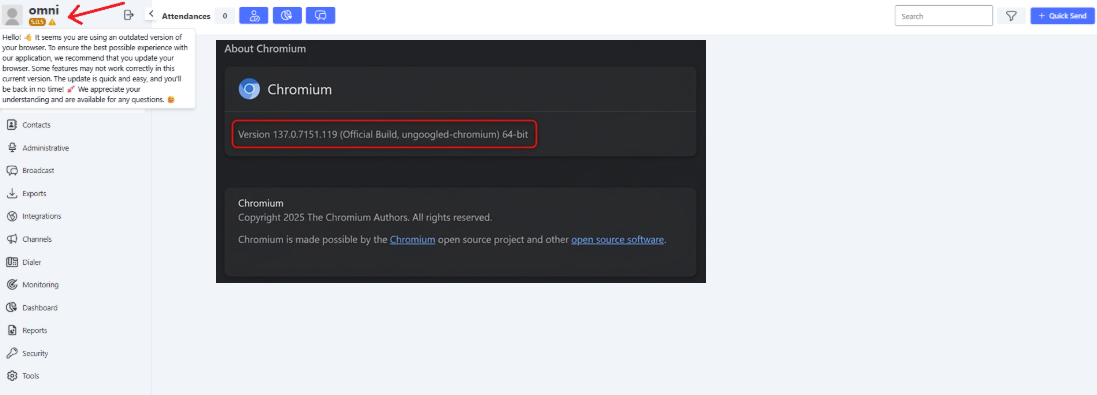
If the browser version is lower than 140.x (down to 137.x), the icon will turn orange to alert the user that an update is needed.
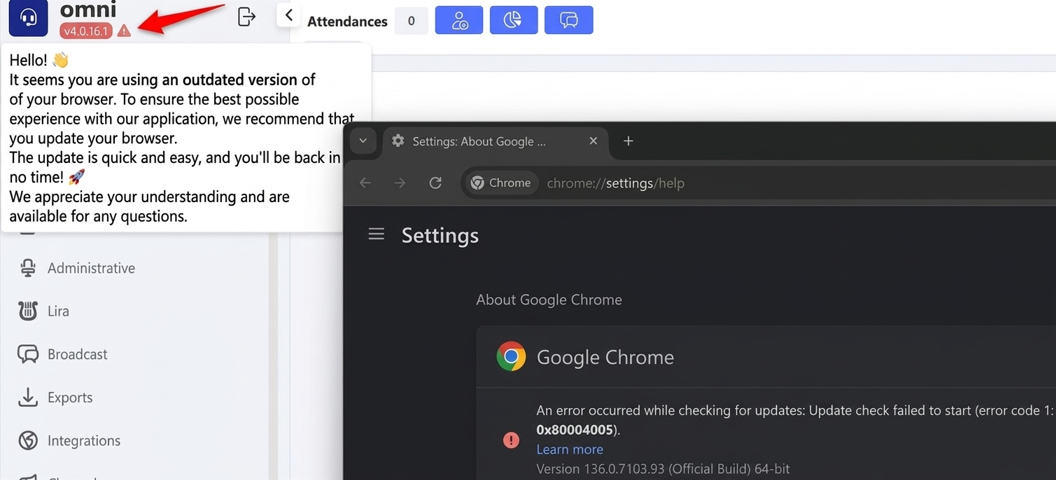
If your browser version is even older—below 137.x—the notification will be red, indicating that a critical update is required.
Keeping the browser update is essential to assure security, compatibility and right system performance. Frequent updates provide security enhancements, bug fixes, and new features that help optimize the user experience.